An athletic hall of fame with room for every inductee
Plaques fill up and trophy cases run out of shelf space, but the stories keep coming. A digital athletic hall of fame gives each inductee a profile your community can open in the lobby or from home.





Trusted by 1,500+ schools and organizations4.9/5 customer satisfaction
Schools and colleges that run on Rocket





Why it matters
Plaques say who, but rarely say why
Most athletic halls of fame are a row of names and years on a wall. Visitors can’t see the season, the stats or the teammates that made an inductee worth honoring. And when the wall is full, the next class has nowhere to go.
Ideas for Athletic Hall of Fame
Inductee profile cards
Show a portrait, sport, graduation year and induction year on each card so visitors can scan a whole class at a glance.
The full career story
Write a short biography covering varsity years, key games, honors and what the inductee did after graduation.
Then-and-now photos
Pair a game-day photo from the yearbook with a current portrait taken on induction night.
Honors and stats
List all-conference selections, school records and state finishes so the profile backs up the honor.
Each induction class
Note the year each inductee was honored, so families can find the newest class or the very first one.
Teams and coaches too
Include championship teams and longtime coaches alongside individual athletes if your bylaws allow it.
How it works with History Showcase
Athletic Hall of Fame, step by step.
Three steps
Choose your first collection
Start with the inductees you already honor, or with your next induction class. Samples help in the demo but aren’t required.
Add profiles in the editor
Your staff enter names, photos and biographies in Rocket’s editor, or Rocket can help prepare the content with your team.
Share it on campus and online
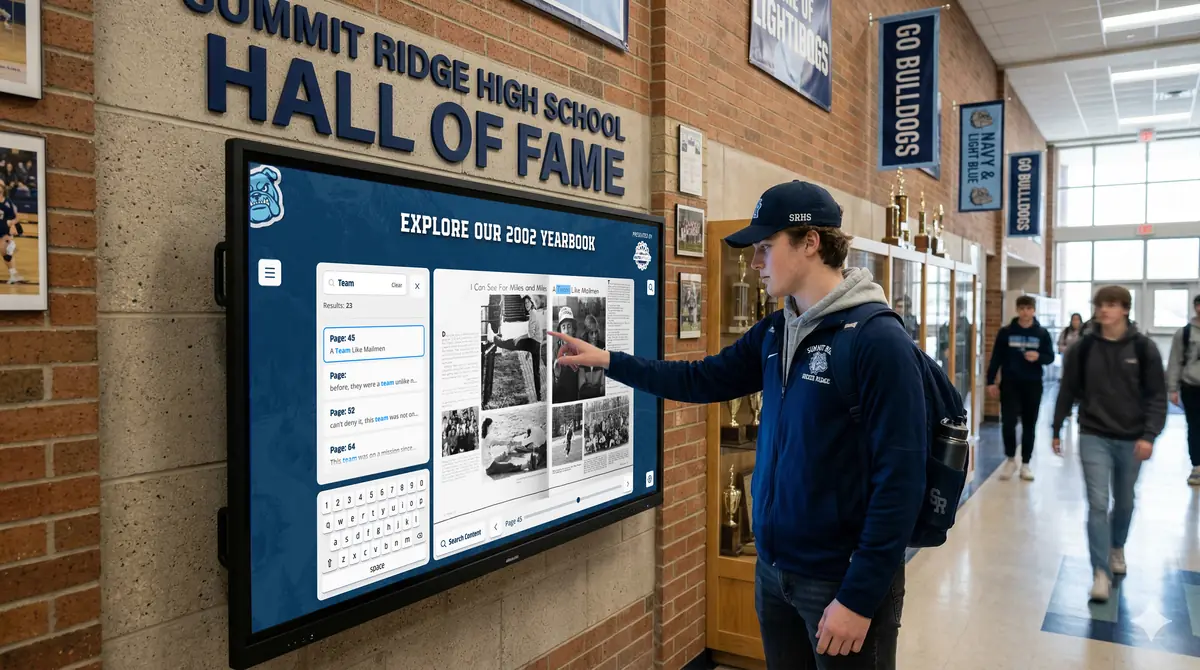
Visitors explore the hall of fame on the web and, if you choose, on a compatible touchscreen in your lobby or gym.
Setups vary by school; your demo confirms what yours will use.
Best practices
Tips to get it right.
Athletic Hall of Fame tips
Write bios in a consistent order
Open with sport and graduation year, then cover career highlights and life after school. Readers learn where to look.
Ask inductees for their own photos
Families often have better action shots than the school archive. Collect them with the nomination form.
Fact-check stats with old programs
Compare numbers against yearbooks, newspaper clippings and game programs before publishing.
Place the screen near the gym
A touchscreen by the main gym entrance gets traffic at every home game, when alumni are most likely to stop.
Keep exploring
More History Showcase use cases
Questions
Athletic Hall of Fame questions
Most schools include a photo, sport, graduation year, induction year and a short biography. Add honors, records and team results when you can verify them. A consistent format makes profiles easier to compare.
Rocket’s History Showcase gives each inductee an interactive profile that visitors can explore on the web and on a compatible touchscreen. Your staff maintain it in Rocket’s editor. Content is unlimited, with no per-profile fees.
Yes. A digital hall of fame can sit alongside the plaques you already have, adding the stories a plaque has no room for. Your demo can cover where a screen might fit near the existing wall.
Pricing is quoted for your school after the demo, based on what you choose. The display is optional: use a compatible screen you already own or choose Rocket hardware. Content help is optional too.
Your next step
Plan your History Showcase.
We'll walk through a real hall of fame and sketch the first collection your community could explore.
