Find the right school photo when you need it.
Give school photos, videos and documents a useful home. Organize the material behind your stories so the next update starts with the right files.
Samples welcome, never required. We'll show a staff member finding, checking and reusing a school photo.





Trusted by 1,500+ schools and organizations4.9/5 customer satisfaction

Schools and colleges that run on Rocket





Sound familiar?
Your best photos are spread across the whole school.
The game-winner is on a coach’s phone. The concert came in by email. Graduation sits in a shared drive only one person understands. When that person moves on, the school loses track of its own photos.
Chasing files
Before the newsletter goes out, someone is texting colleagues, scrolling group chats and waiting on replies.
Guessing at folders
A drive will store a photo. It won’t tell you which game it was, who is in it or whether it’s the version you approved.
Starting over
Each new staff member builds a new system, and years of school life go unused.
The concert ended. The photos still have a job to do.
Find a photo, check it and put it to work.
School media lives across inboxes, phones and shared drives. When someone new takes over the newsletter or the recognition display, finding the right file should not mean starting over. In your demo, we’ll follow one school photo from search to reuse.
What we'll show you
Open the event folder
Choose the site and folder where the spring concert’s photos, videos and documents live.
Search for the right shot
Search titles, captions and tags or describe the shot, then filter or sort within the folder.
Preview before you use it
Check the image and its details before it goes anywhere public.
Download or reuse it
Download the original or a resized JPEG, PNG or WebP, copy a link, or pick it for your next school story.
Built around how a school runs
A library shaped like your school.
Set up folders for the teams, seasons, departments and events you already talk about. Every file keeps its details, so anyone on your team can find it again.
Folders that follow your calendar
Nest folders by year, season, team or event, and rearrange them when programs change.
Search by what’s in the photo
Type “senior night” or “choir in the gym.” Rocket checks titles, captions and tags and finds photos that match your description, across the library or within one folder.
Upload a whole event at once
Drop in a batch of photos, videos and PDFs. Programs and newsletters finish converting in the background while you keep working.
Details that stay with the file
Titles, captions, tags and dates stay attached, so the next person knows what they’re looking at.
Accessibility you can see
Each image shows whether its alt text is done, so the photos you publish are described for every visitor.
Cleanup you can undo
Deleted files go to Recently Deleted first, so a tidy-up can be reversed.
Library features can vary by Rocket setup; your demo confirms what your team will have. Prefer a video now? The product tour shows staff uploading and editing content in Rocket’s recognition editor.
Private by default. Public on purpose.
Uploading a photo isn’t publishing it.
Most school photos are meant for the school community, not the open web. Keep the full record in a library your school controls, and decide what goes public one photo at a time.
Your photo-release and consent records still set the rules. Rocket gives staff one place to check a file before they use it.
How a photo moves
Gather
Coaches, teachers and communications staff bring files into one school library instead of keeping them on phones and in inboxes.
Describe
Add a title, caption and tags while the event is fresh. Tag photos with use limits so they’re easy to spot later.
Choose
When a story needs a photo, staff search, preview and check its details before it leaves the library.
Publish
Use the chosen photo on your website, newsletter, social posts or Rocket displays. Everything else stays in the library.
One library, every storyteller
Built for every team that tells your school’s story.
Communications
Fill the newsletter, website and social calendar without hunting for photos. Search, check and download the right size in one go.
Athletics & activities
Keep each season’s team photos, game shots and senior nights together, ready for banquets, record boards and signing days.
Advancement & alumni
Pull photos from years back for reunions, donor updates and hall of fame inductions, with names and dates still attached.
A handoff that survives the school year.
Your school
Choose a first event folder, name who approves how its photos are used, and keep your consent, privacy and retention rules in charge.
Rocket
Walk through that folder with you, then confirm setup, content-preparation and training help in your proposal.
The next staff member
Opens the same folders and finds the approved files with their names, dates and context still attached.
From a Rocket school
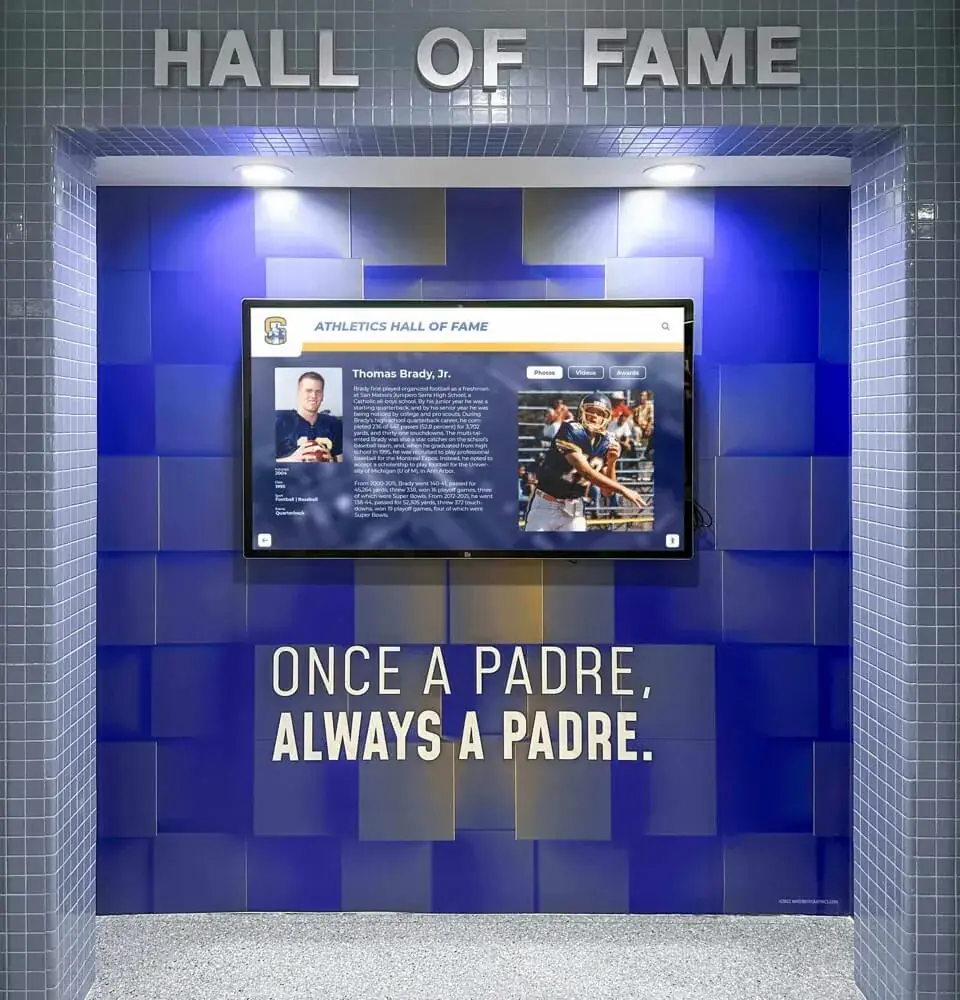
Rocket Alumni Solutions has made updating our hall of fame and everything else on campus that involves awards or accolades a one stop shop for everything.
 Logan WolfJunipero Serra High School
Where it fits.
Rocket sits beside the storage you already use. Bring the files your team wants to find again, and keep your own rules for how they are used.
Before you book
- Your current storage
- Stays where it is. Upload the files your team wants to find and reuse in Rocket.
- Publishing
- Uploading a file doesn’t publish it. Staff choose where each file is used and check it first.
- Access & pricing
- Confirmed for your Rocket setup in your proposal.
One event
Spring concert
- PhotosApproved performance shots
- ProgramNames and pieces performed
- VideoThe finale, ready to share
Ready for
- Newsletter
- Recognition
- Social
40 ways schools use it
Media Management use cases
Start with the job your school needs done. Each guide covers what to include, how it works with Rocket and the questions schools ask first.
Organize the library
Bring the photos, video and documents behind your school stories into one useful home.
- School Photo LibraryGive every school photo one home, organized by year, team and event, so staff can find it again.
- School Video LibraryKeep game film, concert recordings and school videos in folders staff can browse and search.
- Athletic Photo ArchiveKeep every season’s game shots, team photos and senior nights together for banquets and record boards.
- Event Photo CollectionsGive each concert, game and assembly its own folder so the photos are ready the next morning.
- Yearbook Photo SourcingHelp yearbook staff find candids, team photos and event shots without chasing every teacher.
- School Document ArchiveKeep programs, newsletters and printed school documents as PDFs beside the photos they belong to.
- Logo and Brand Asset LibraryKeep approved logos, mascot art and brand files in one place so staff stop using old versions.
- Historical Photo DigitizationScan old prints, slides and clippings and file them by year so school history is searchable again.
- Team and Headshot PhotosKeep team photos and staff, student and athlete headshots titled by name and year, ready to reuse.
- Graduation MediaKeep commencement photos, videos, programs and senior slideshows together for families and reunions.
Find and reuse
Get from “we have a photo of that somewhere” to the right file, ready to use.
- Finding the Right PhotoSearch titles, captions and tags, or describe the shot, to find the right school photo quickly.
- Captions and Photographer CreditsKeep captions, names and photographer credits attached to each photo so every reuse gets them right.
- Media Consent PracticesCheck photo-release limits before a picture goes public, with use-limit tags staff can see.
- Photos for School NewslettersFill each school newsletter with the right photos by searching one library instead of your inbox.
- Photos for Social MediaFind approved photos for school social posts, check use limits and download a size that fits each feed.
- Photos for Campus ScreensPick photos for lobby screens and displays from one library, then check them before they go up.
- Photos for Hall of Fame ProfilesFind inductee photos from any decade, with names and dates attached, for hall of fame profiles.
- Press and Media RequestsAnswer press and partner photo requests quickly with approved images, captions and credits ready to send.
- Board Meeting and Presentation MediaPull recent photos and documents into board updates and presentations without hunting through drives.
- Awards Night SlideshowsBuild awards night and banquet slideshows from photos already in your library, sorted by team and season.
Teams and handoffs
Let the people who make school media share it, and keep it when staff change.
- Shared Staff Media LibraryGive every staff member one place to add, find and reuse school photos, videos and documents.
- Coach Photo UploadsGet game and practice photos off coaches’ phones and into a school library everyone can search.
- Volunteer and Parent PhotographersCollect photos from parent and volunteer photographers without losing credits, context or control.
- Yearbook and Student Media StaffGive yearbook, newspaper and broadcast students one shared library that lasts beyond graduation.
- Communications Office WorkflowRun newsletters, website updates and social posts from one library instead of a pile of requests.
- Athletic Department MediaKeep every team’s photos and video organized by sport and season, ready for banquets and posts.
- Advancement and Alumni Office MediaFind photos from any decade for reunions, donor updates and inductions, with names and dates attached.
- District-Wide Media LibraryGive each school in your district its own folders and a shared way to find and reuse media.
- Staff Turnover HandoffKeep school photos, folders and context in place when the person who managed them moves on.
- Booster Club MediaShare sponsor, fundraiser and team photos between booster volunteers and school staff in one place.
Preserve every year
Protect this year’s material and rescue the years already at risk.
- Year-End Media ArchiveClose out each school year by filing, captioning and checking its photos before summer break.
- Rescuing Photos from Old DrivesMove photos off aging hard drives, CDs and old laptops into a school library staff can search.
- Bringing Scattered Folders TogetherCombine photos from shared drives, inboxes and phones into one organized library without starting over.
- Digitized Film and VideoGive digitized game film, concerts and old school videos a home where staff can find and reuse them.
- Anniversary Project MediaGather the photos, video and documents behind a school anniversary in one place before the planning starts.
- Season Recap CollectionsWrap each sports season with a tagged set of the best photos and clips, ready for banquets and posts.
- Senior Year CollectionsCollect each senior class’s milestones, from first day to graduation, in one searchable set.
- Arts and Activities Photo HistoryPreserve the history of your school’s theater, music, art and clubs, not only its athletics.
- Accreditation Evidence MediaKeep photos and documents that show programs in action organized for accreditation and review visits.
- Grant and Fundraising Proposal MediaHave program photos, outcomes and documents ready when a grant application or donor proposal is due.
For principals, ADs and advancement teams
Why school leaders choose Rocket.
A project your school community sees every day needs a partner that answers quickly and stays for the long run.
- schools and organizations
- 1,500+
- touchscreen installations
- 2,000+
- customer satisfaction
- 4.9/5
- average chat response
- < 10 s
Help in seconds, not tickets
24/7 live chat from Rocket’s Boston team, with a personal customer success contact from kickoff onward.
Your staff don’t do it alone
Rocket can prepare your names, photos and records. See content help.
Ready for your IT review
Encrypted data, SSO and student-data commitments for K-12. Read about security.
Built to grow with you
Unlimited content with no per-profile fees, and new features as Rocket releases them.
Questions
A few practical questions
It does not have to. Keep your current storage and upload the files your team wants to find and reuse in Rocket. We’ll look at where your staff stores material today and which publishing tasks need help.
A shared drive is good at holding files. Rocket is built for finding and reusing school media: folders organized around your teams and events, search by description as well as titles, captions and tags, previews before you download, and details that stay with each file.
Yes. Search the whole library or a single folder by title, caption, tag or a short description of the photo you need.
The current library lets staff browse folders, upload files in batches, search titles, captions, tags and descriptions, preview files, restore recently deleted files, and download them or copy a link. Your demo confirms which features are enabled for your Rocket setup.
Make the right way easier than the workaround. Agree on one place for school media, name folders after events staff already know, and show contributors where their photos end up. In your demo, we’ll talk through who uploads and who checks.
Your school’s photo-release and consent records stay in charge. Uploading doesn’t publish anything, and staff check each file’s details before it goes public. You can also tag photos that have use limits so they’re easy to spot.
Name a backup owner and keep event names, dates and approvals with the files. In your demo, ask us to show how a new staff member gets access and finds an existing collection.
Yes, those can be part of a school-history project. We can discuss scanning, preparation and the right presentation. See Digital Yearbooks for the preservation offering.
No. Your team chooses where each file is used and reviews it before it goes public. We’ll show that path for the school page or communication you have in mind.
Your next step
Give your next school story a head start.
See a staff member find the right photo and put it to work. Samples welcome, never required.
