A team photo archive for every season and sport
Team photos are some of the most looked-at images a school owns, yet many sit in boxes or on one coach’s hard drive. A team photo archive gives every sport and season a place where players, families and alumni can find their team.





Trusted by 1,500+ schools and organizations4.9/5 customer satisfaction
Schools and colleges that run on Rocket





Why it matters
Team photos are scattered across coaches and closets
Each coach keeps photos differently, and when a coach leaves, the pictures often leave too. Older seasons may exist only in yearbooks. Families who ask for a 1990s team photo rarely get one.
Ideas for Team Photo Archive
Every sport, every level
Include varsity, JV and freshman teams, plus spirit squads and club sports.
Names row by row
List players in photo order so visitors can match names to faces.
Season results
Add the record, coaches and any titles with each photo.
Girls’ teams from the start
Give early girls’ teams the same attention as long-standing boys’ programs.
Senior night and banquet photos
Add a few candid shots to show the season beyond the posed picture.
The whole staff
Credit assistant coaches, managers and trainers too.
How it works with History Showcase
Team Photo Archive, step by step.
Three steps
Gather photos from every source
Ask coaches, yearbook staff and boosters for files and prints. Rocket can help prepare them for the archive.
Sort by sport and season
Staff add each team in Rocket’s editor so visitors can pick a sport, then a year.
Share on the touchscreen and web
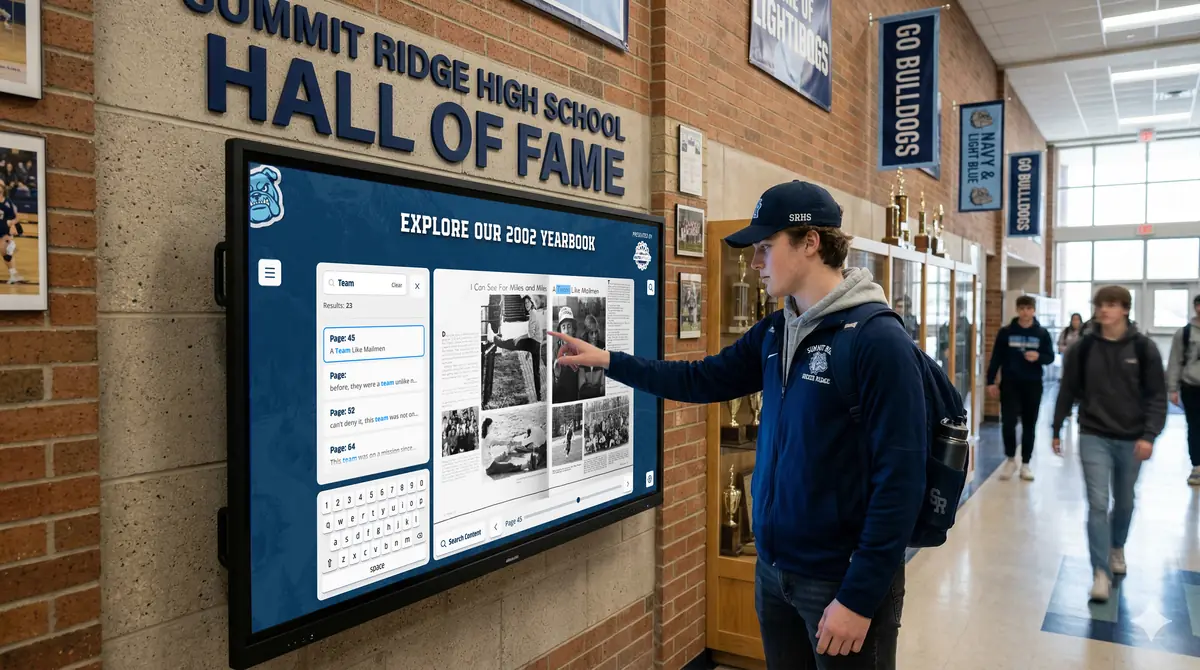
Visitors find teams on a compatible touchscreen near the gym, and alumni can browse from home.
Setups vary by school; your demo confirms what yours will use.
Best practices
Tips to get it right.
Team Photo Archive tips
Ask for names when you collect
Photos without names are much harder to use later.
Set a yearly upload routine
Add each team’s photo at the end of its season.
Use yearbooks to fill gaps
Scanned yearbooks often contain team photos missing from other sources.
Invite alumni to identify faces
Post unlabeled photos and ask former players to help.
Keep exploring
More History Showcase use cases
Questions
Team Photo Archive questions
Organize by sport, then by season and level. Record names, coaches and results with each photo so the archive stays useful years later.
Yes. Digitized yearbooks are a good source for older seasons, and Rocket offers yearbook scanning. Prints from alumni and boosters can fill the rest.
History Showcase gives each team a place in a collection your staff maintain in Rocket’s editor, next to records and halls of fame. Families explore it on a compatible touchscreen and online.
The cost is quoted for your school after a demo, depending on what you choose. Rocket does not charge per profile, so each new season can be added.
Your next step
Plan your History Showcase.
We'll walk through a real hall of fame and sketch the first collection your community could explore.
