Build a yearbook archive your alumni can explore
A yearbook archive project is more than scanning: it starts with knowing which years you have, which are missing and which matter most for upcoming reunions. Bound books go through Rocket’s scanning partner, and the digital files come back ready for your showcase.





Trusted by 1,500+ schools and organizations4.9/5 customer satisfaction
Schools and colleges that run on Rocket





Why it matters
Yearbook collections have gaps nobody has mapped
Schools often hold most of their yearbooks but not all, and copies get split between the library, the main office and the alumni room. Nobody knows which years are missing until someone asks. Scanning without a plan can leave the most requested years for last.
Ideas for Yearbook Archive Project
A master list of class years
List every year from the first graduating class to now and mark what you hold.
A call for missing volumes
Ask alumni through newsletters or reunion organizers to lend the years you lack.
Scanning batches by decade
Group volumes by decade so each batch is easy to track.
Where the originals live after
Decide where the returned books will be stored once the files are back.
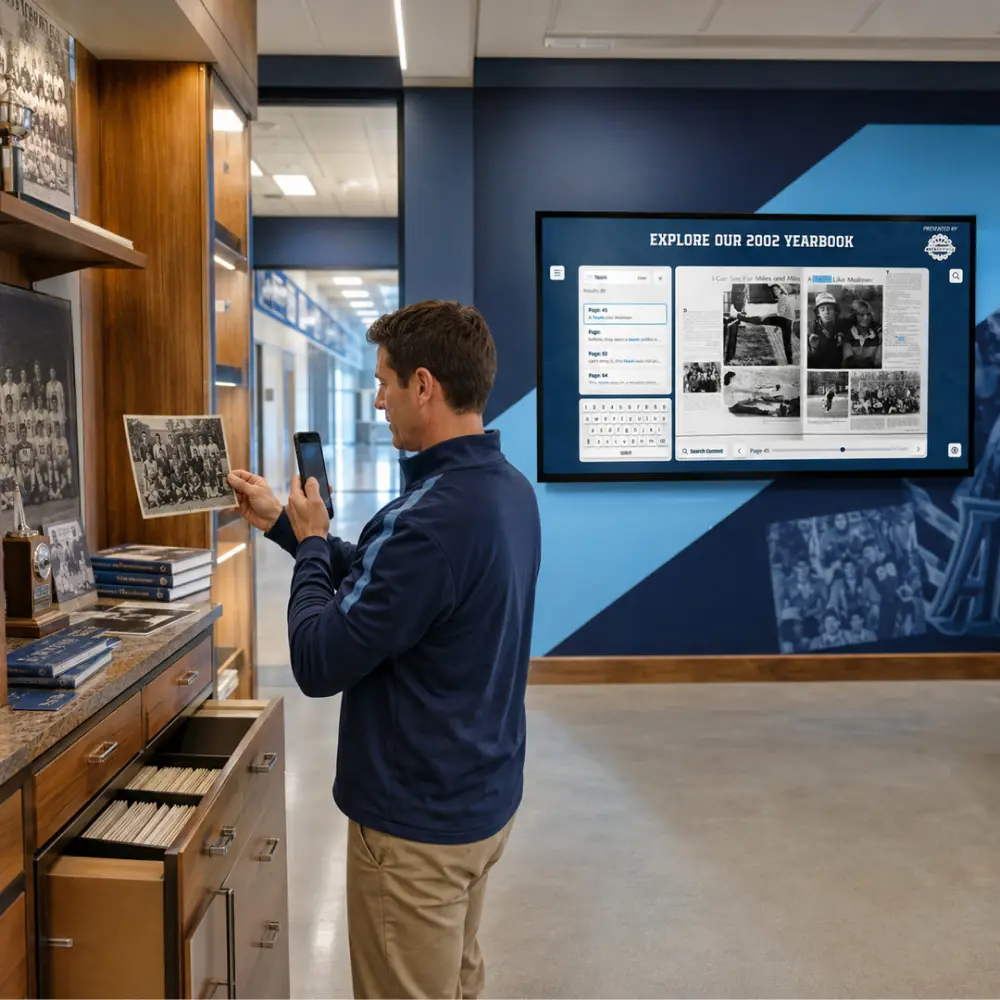
Yearbooks on the touchscreen
If your showcase has a lobby touchscreen, plan where the yearbook collection appears on it.
A launch tied to homecoming
Homecoming weekend gives alumni a reason to look up their class year.
How it works with Data Entry & Project Management
Yearbook Archive Project, step by step.
Three steps
Inventory and order scanning
Build your list of volumes, then submit the quick form on Rocket’s yearbook scanning partnership page to connect with the partner.
Partner scans and returns books
The partner’s representative sends shipping instructions, and your books come back in the same condition with a Dropbox link to the files.
Launch the yearbook collection
Download the digitized yearbooks and bring them into your Rocket showcase, starting with the years planned for launch.
Setups vary by school; your demo confirms what yours will use.
Best practices
Tips to get it right.
Yearbook Archive Project tips
Track every volume by year
A shared spreadsheet with year, location and condition keeps the project organized.
Ask the partner about timing
If staff still need some books on hand, ask the partner representative how to plan the shipment.
Back up the Dropbox files
Save the downloaded yearbooks to your school’s own storage as soon as they arrive.
Announce it to alumni
Tell alumni when the collection launches and which years are still wanted.
Keep exploring
More Data Entry & Project Management use cases
Questions
Yearbook Archive Project questions
Bound yearbooks go through Rocket’s scanning partner with a partner discount, and the files arrive ready for your Rocket platform. Rocket can also help plan the first collection and the launch around it.
The partner returns them in the same condition you sent them. A Dropbox link to download the digitized copies comes by email.
Launch with the years you hold and add others as alumni lend copies. Keep a list of missing years so you can ask at reunions and in newsletters.
Start with the quick form on Rocket’s yearbook scanning partnership page, which puts you in touch with the partner’s representative. Rocket’s partner discount applies to the scanning.
Your next step
Talk through your content project.
We'll scope a first collection and agree who does what before any work starts.
