Scan your school’s yearbooks and bring them online
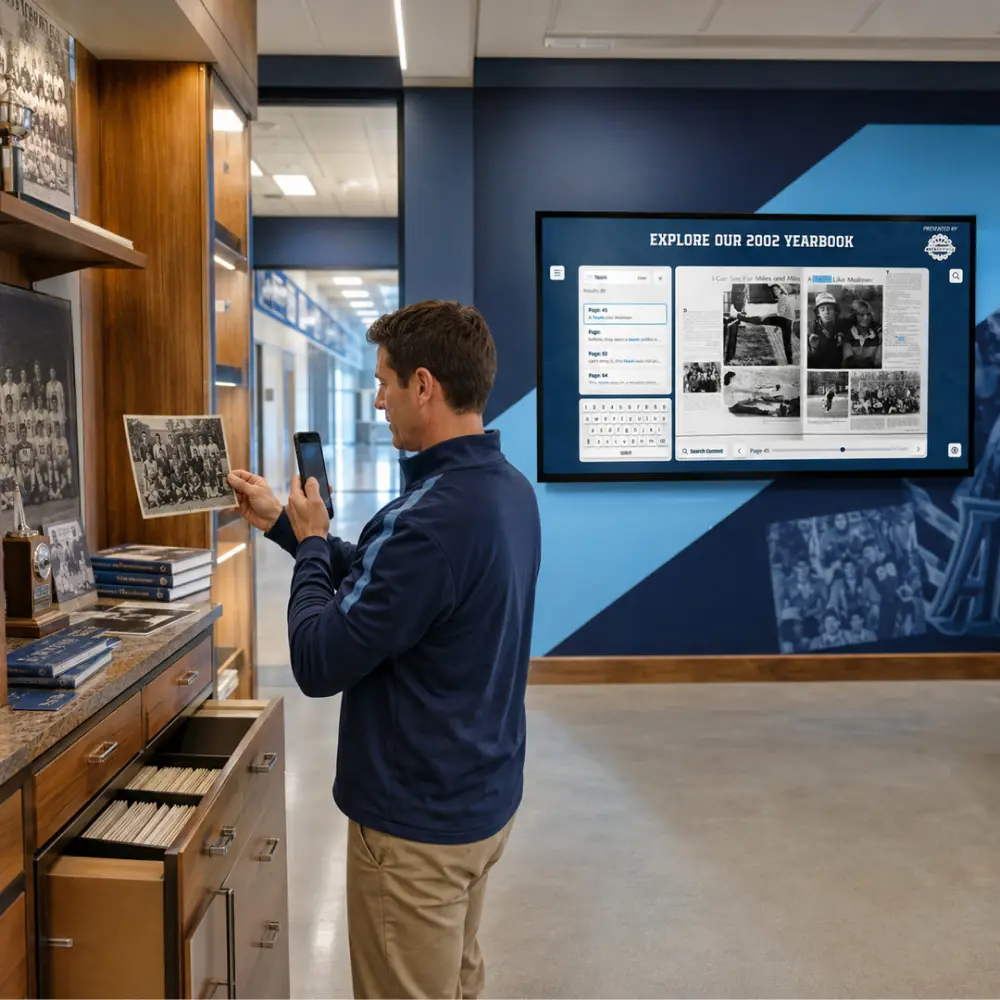
Bound yearbooks follow a separate partner scanning route with Rocket’s partner discount, and the partner guides you through shipping. Your books come back in the same condition, along with digital copies ready for a yearbook collection families can explore.





Trusted by 1,500+ schools and organizations4.9/5 customer satisfaction
Schools and colleges that run on Rocket





Why it matters
Yearbooks sit on a shelf few people can reach
Most schools have decades of yearbooks in a library cabinet or a main office closet. When an alum asks for a page from their class year, someone has to find the book and snap a phone photo. Older volumes get more fragile every time they’re handled.
Ideas for Yearbook Scanning
Every class year you own
Start with a list of the volumes on hand, then note the missing years so alumni can help fill the gaps.
Founding-era volumes first
The oldest books tend to be the most fragile and the most asked about at reunions, so they’re worth prioritizing.
A reunion-year spotlight
Feature the class years celebrating a milestone reunion this season so returning graduates can find themselves.
Yearbooks beside your hall of fame
Show the yearbook collection alongside your hall of fame so visitors can look up an honoree’s class year.
Borrowed copies from alumni
If the library is missing a year, ask your alumni association whether a graduate will lend a copy for scanning.
A note on condition
Flag loose bindings, water damage or taped pages on your inventory so the partner knows what to expect.
How it works with Data Entry & Project Management
Yearbook Scanning, step by step.
Three steps
Fill out the partner order form
Start on Rocket’s yearbook scanning partnership page. After you submit the quick form, a representative from yearbookscanning.com contacts you with shipping instructions.
The partner scans your books
Your yearbooks are scanned by the partner, and the physical books come back in the same condition you sent them.
Add the files to your showcase
A Dropbox link arrives by email so you can download the digitized yearbooks, ready to be showcased on your Rocket platform.
Setups vary by school; your demo confirms what yours will use.
Best practices
Tips to get it right.
Yearbook Scanning tips
Count volumes before you order
A simple list of years and the number of books makes the order form quicker and shows you where the gaps are.
Decide who signs off on shipping
Books leave the building, so agree in advance whether the librarian, principal or alumni office approves sending them.
Save the download link somewhere shared
Store the Dropbox link and downloaded files where the next staff member can find them, not only in one inbox.
Launch a few class years first
Pick a handful of years for launch and add the rest in batches, rather than waiting for every volume.
Keep exploring
More Data Entry & Project Management use cases
Questions
Yearbook Scanning questions
Bound yearbooks follow a separate partner route through yearbookscanning.com, with Rocket’s partner discount. The partner scans and returns the books, and the digital files are ready to showcase on your Rocket platform.
Yes. The partner process returns your physical yearbooks in the same condition you sent them. You also receive a Dropbox link to the digitized copies.
Scanning is quoted for your school’s order through the partner, with Rocket’s partner discount applied. Fill out the quick order form to get started, and a demo can cover how the yearbooks fit into your wider showcase.
Loose paper, photos and programs follow a different path from bound books. Tell Rocket what you have, and we’ll confirm the work involved; you don’t need to scan everything first.
Your next step
Talk through your content project.
We'll scope a first collection and agree who does what before any work starts.
