Class reunion displays that take graduates back in time
Reunion guests want to find their own faces, their old teams and the friends they lost touch with. A History Showcase puts that class’s yearbook and records in one place they can explore at the event and long after it.





Trusted by 1,500+ schools and organizations4.9/5 customer satisfaction
Schools and colleges that run on Rocket





Why it matters
Reunion planners rebuild the same slideshow every year
Volunteers scan a few yearbook pages, make a slideshow and lose the files once the weekend ends. The next class starts from scratch. Graduates who could not attend never see any of it.
Ideas for Class Reunions
The class yearbook, page by page
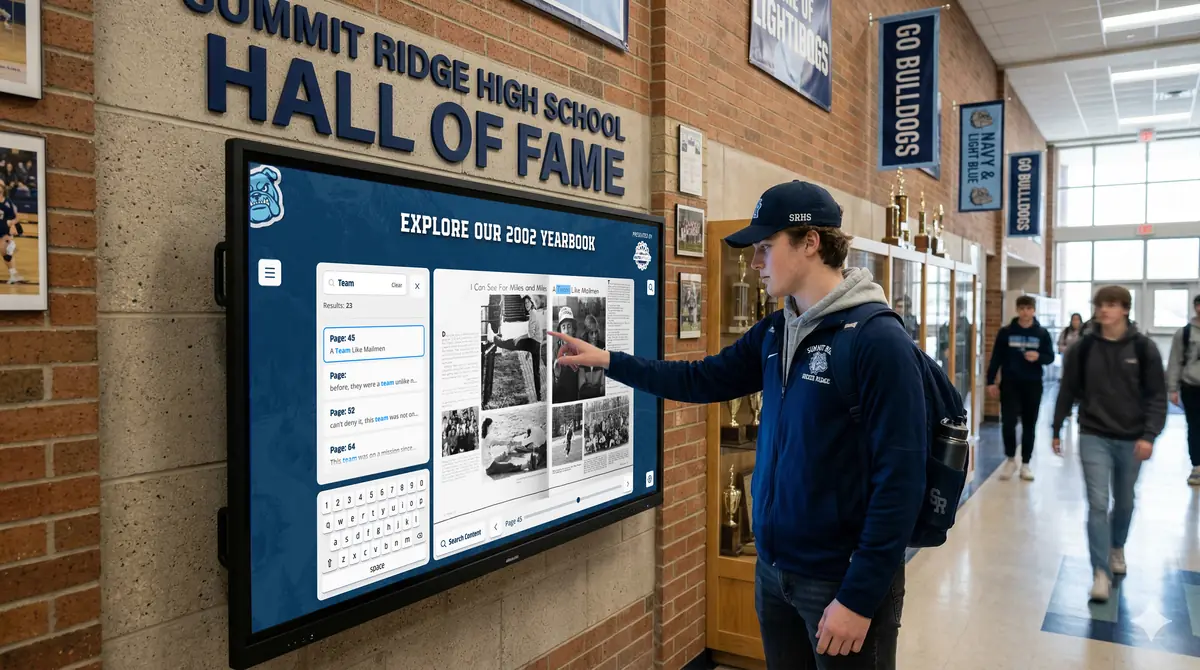
Put the reunion class’s yearbook on screen so guests can turn to their portrait and club photos.
Teams from their senior year
Show that season’s rosters and team photos so former teammates can find each other.
Then-and-now pairs
Invite graduates to send a current photo ahead of the event and pair it with their senior portrait.
Records still standing
Point out any school record the class set that still holds or has since been broken.
Remembering classmates
Set aside a respectful space for classmates who have died, prepared with their families.
A link in the invitation
Put the online collection in the reunion invitation so people start reminiscing before they arrive.
How it works with History Showcase
Class Reunions, step by step.
Three steps
Check the reunion calendar
List the reunion years coming up and decide which yearbooks, teams and photos each class should see.
Prepare the material once
Rocket offers yearbook scanning and content help, and your staff can add details in Rocket’s editor.
Use it at the event and after
Guests explore on a compatible touchscreen during the reunion, and the content stays online for classmates who could not travel.
Setups vary by school; your demo confirms what yours will use.
Best practices
Tips to get it right.
Class Reunions tips
Work with the reunion committee
Ask committee members to identify classmates in unlabeled photos. They know faces staff will not.
Add a stop to the campus tour
Many reunions include a walk through the building. Plan a stop at the display.
Send the link ahead
Graduates who explore before the event arrive with stories ready to share.
Keep each year’s additions
Photos collected for one reunion stay in the archive, so the next milestone reunion starts with more.
Keep exploring
More History Showcase use cases
Questions
Class Reunions questions
Give graduates a way to see their school years again: the yearbook, their teams, their records and familiar faces. Hosting part of the event on campus with an interactive display adds a reason to visit. Sharing the same material online includes classmates who cannot attend.
Yes, once they are digitized. Rocket offers yearbook scanning, and digital yearbooks can be viewed on a touchscreen and online. Your demo confirms the scanning route for your books.
History Showcase keeps yearbooks, team photos and alumni profiles in one archive your school builds on over time. Each reunion class can explore its own years on campus or from home, without volunteers rebuilding a slideshow.
History Showcase is set up for the school, and Rocket prices it after the demo based on what you choose. Whether it is funded by the school budget, an alumni association or a gift is your decision.
Your next step
Plan your History Showcase.
We'll walk through a real hall of fame and sketch the first collection your community could explore.
