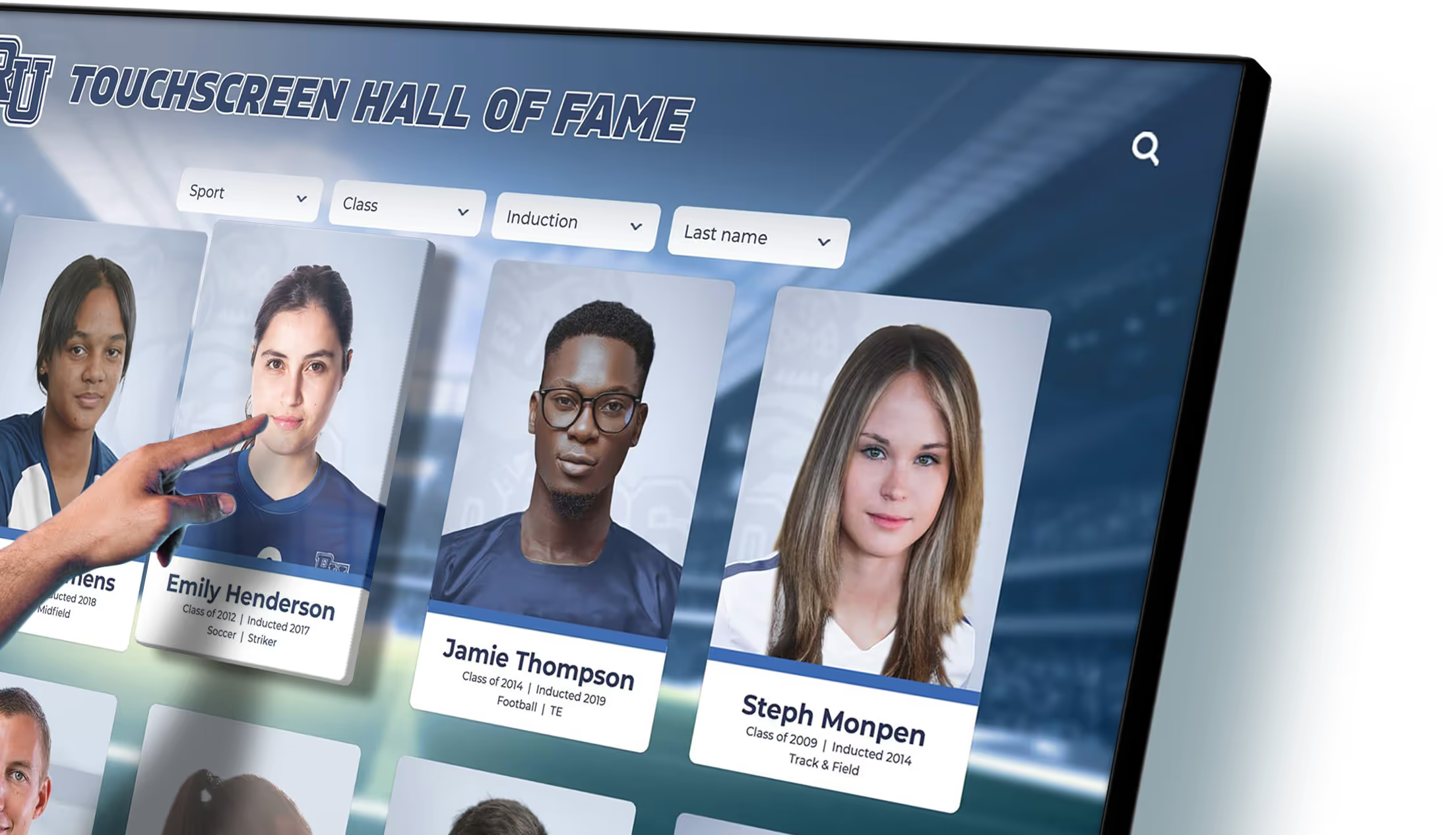
Bring school pride into your space.
Find the right physical home for your school stories, from a wall-mounted touchscreen to a freestanding kiosk or WonderWall recognition installation.
Space photos and model numbers welcome, never required. We confirm requirements before anything is ordered.





Trusted by 1,500+ schools and organizations4.9/5 customer satisfaction
Schools and colleges that run on Rocket





Start with your space
Three ways to bring recognition into your building.
A busy entrance, a gym lobby and an alumni gathering space each ask something different of a display. Choose the location and the visitor experience, then the hardware. Already have a screen? Hardware from Rocket is optional; we’ll check whether yours can be used.
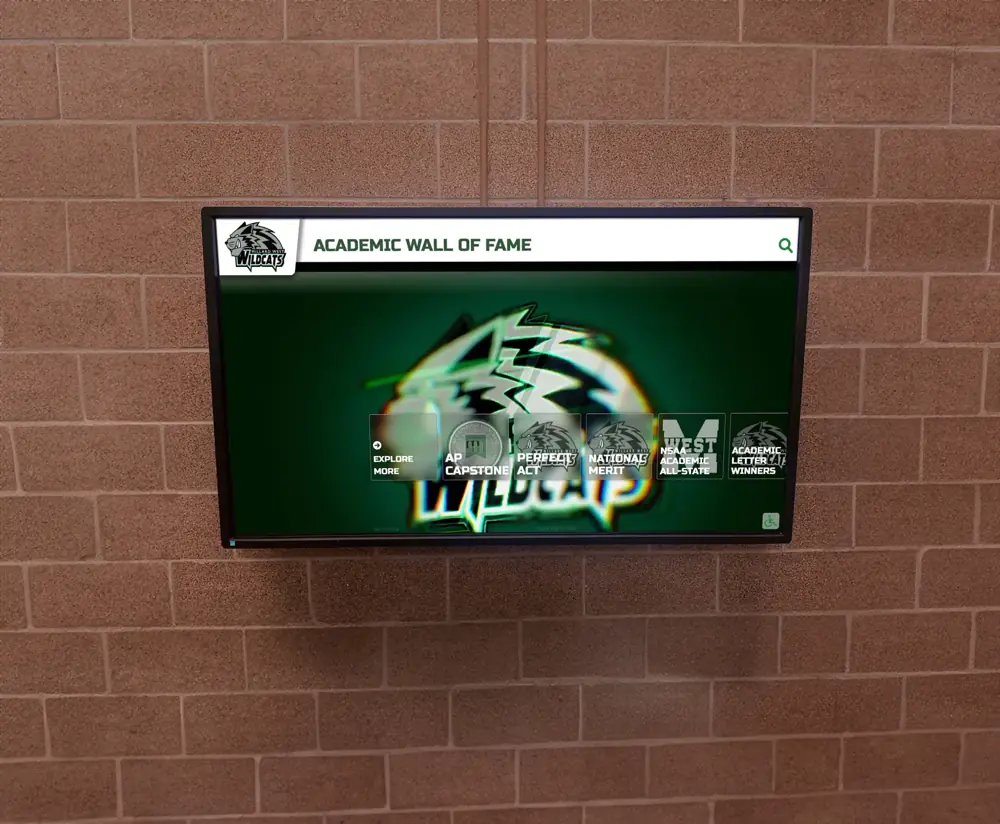
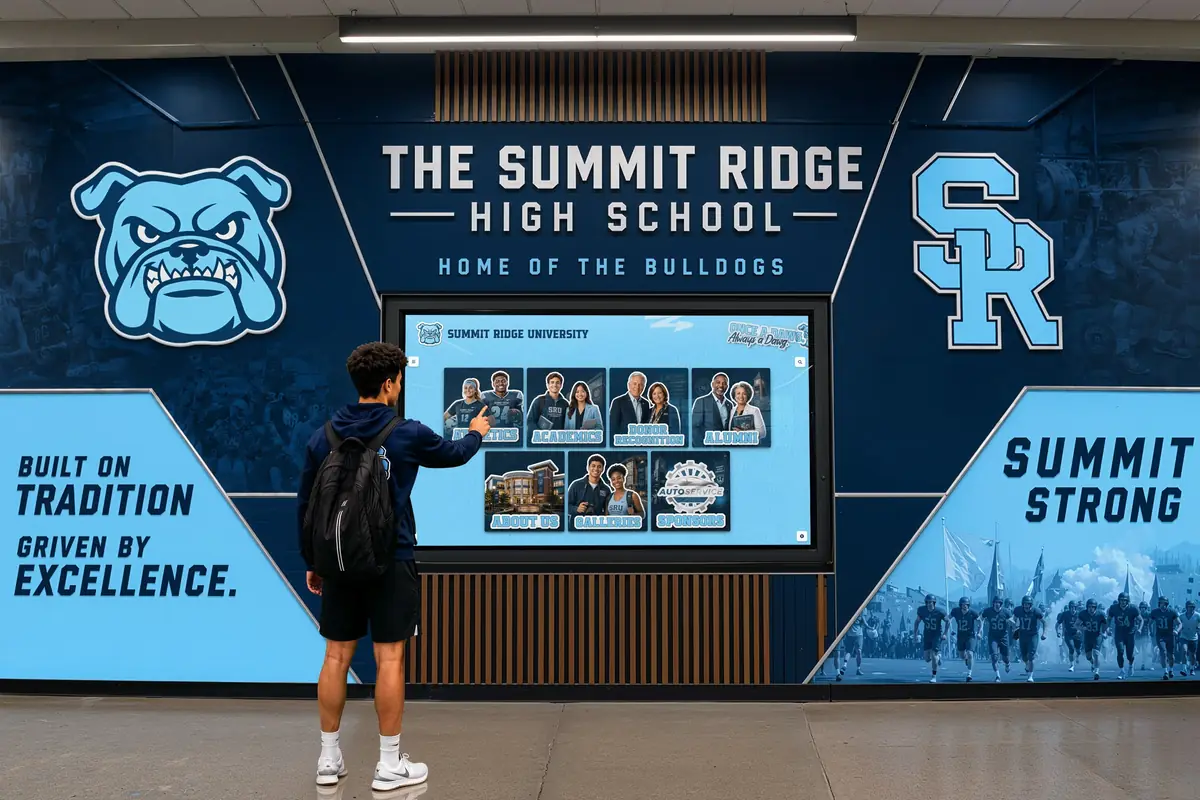
Millard West High School Wall-mounted touchscreen
A touchscreen on an existing wall, in a range of screen sizes and mounting styles. Compare bundles and the details of each configuration.
Browse Wall-Mounted Bundles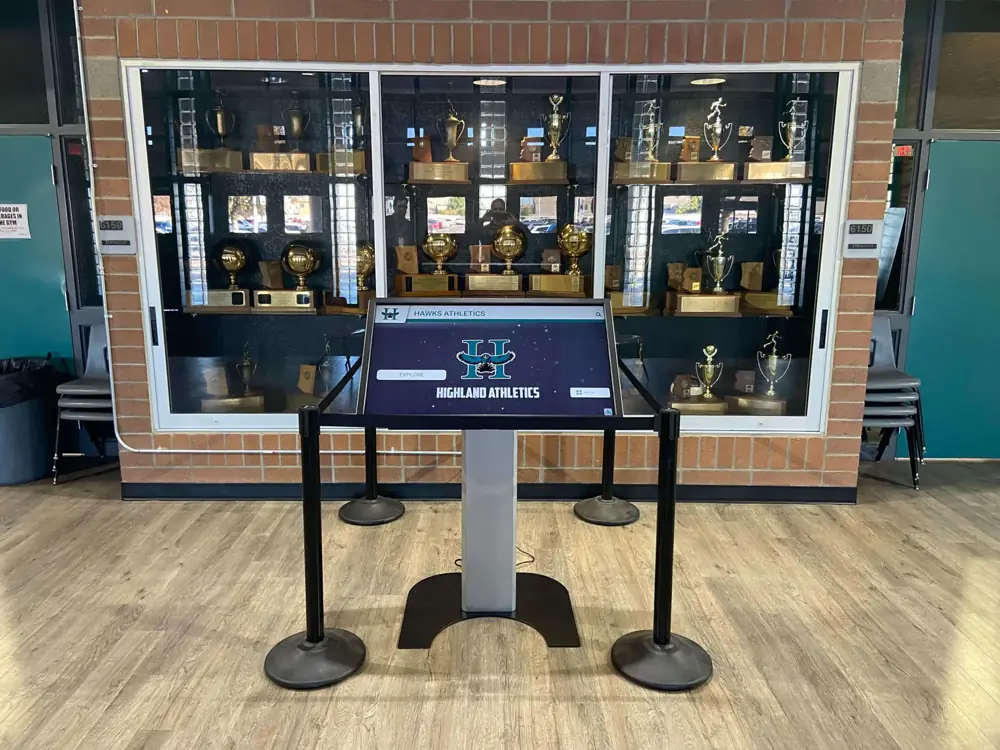
Highland High School Freestanding kiosk
For spaces where a wall mount is not the right fit. Plan floor space, visitor traffic and a nearby power outlet and network connection; we compare kiosk styles for your space in the hardware review.
Discuss a Freestanding Kiosk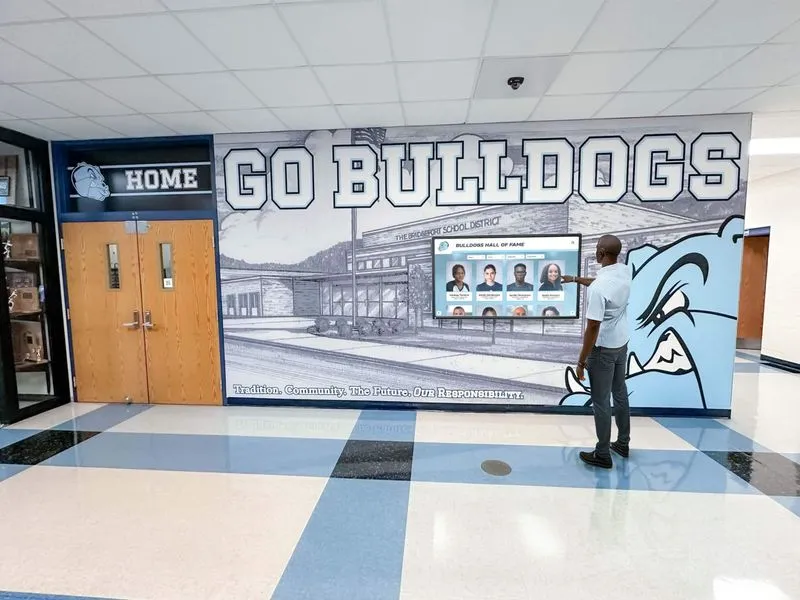
Bridgeport High School WonderWall recognition system
A school-branded fabric graphic wall around an interactive display. Plan the wall graphics and touchscreen installation together.
Explore WonderWall
Photos from Rocket’s installation gallery.
What you need now, and what we confirm later.
Helpful for a first conversation
- The space
- A phone photo of the wall or floor area, if you have one.
- Existing screen
- Its make and model, any connected player and whether it supports touch.
- Timing
- Any event or date you are working toward.
Confirmed before anything is ordered
- Mounting
- Wall construction, mounting method, cable routing and accessible placement, checked by your facilities team.
- Power & network
- A nearby power outlet. Wired Ethernet is recommended; high-speed Wi-Fi can also work.
- Installation
- Who performs it. We recommend self-install by your facilities, IT or custodial staff; your quote states any installation arrangements.
- Coverage
- Warranty, service and replacement terms for the exact equipment in your quote.
None of the first-conversation details are required. Unknowns are fine; we’ll work through them with you.
See what a recognition space can become.
Look at the setting, not just the screen. Consider sightlines, traffic, reach and space for visitors to pause, then plan the options for your own building.
Browse Installation Examples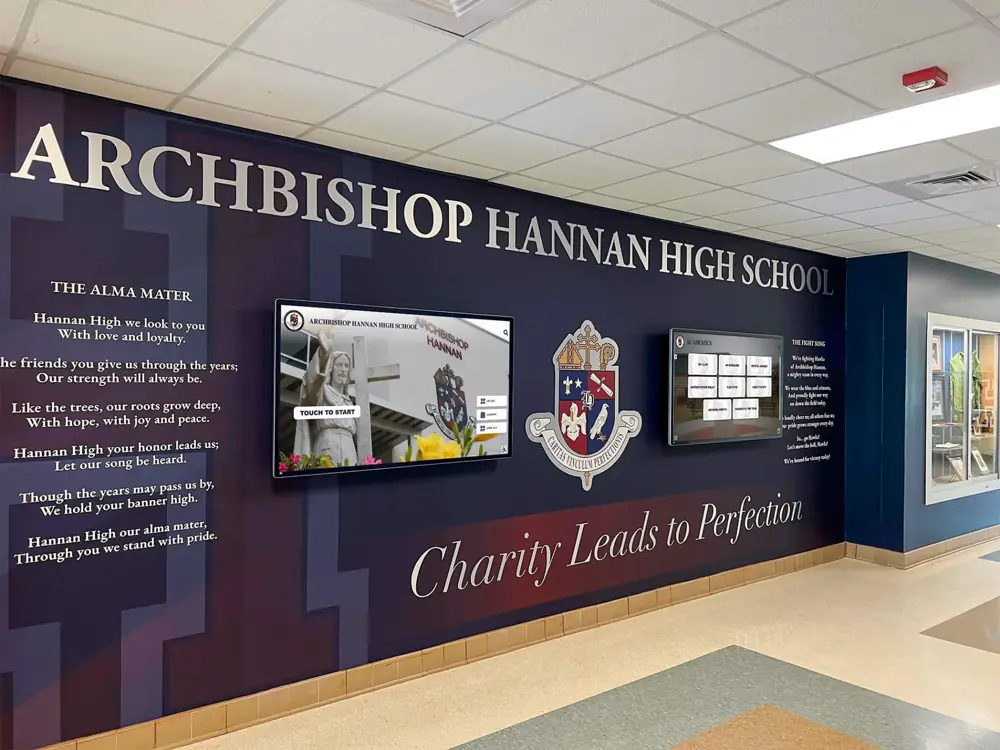
Archbishop Hannan High SchoolA touchscreen set into the school’s history wall. 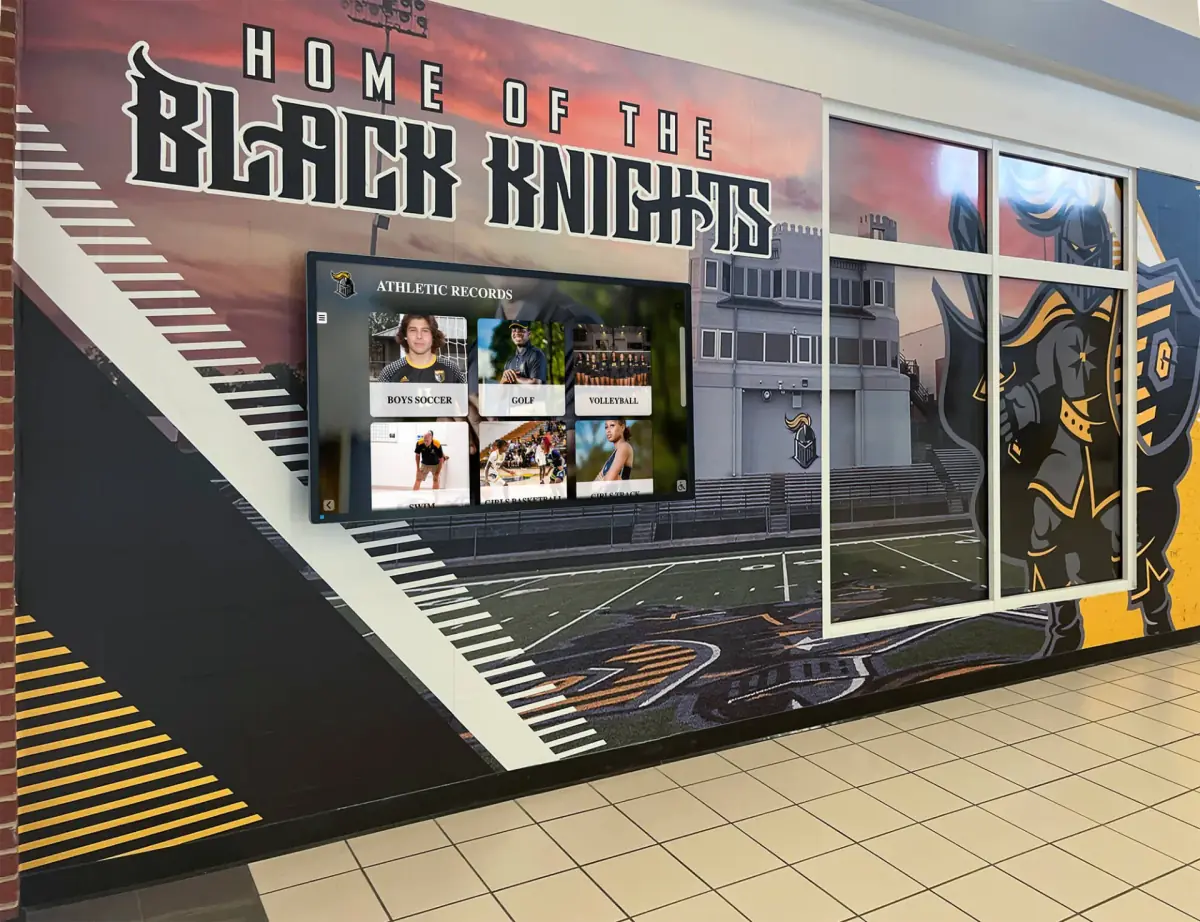
Central Gwinnett High SchoolAthletic records built into a hallway mural. 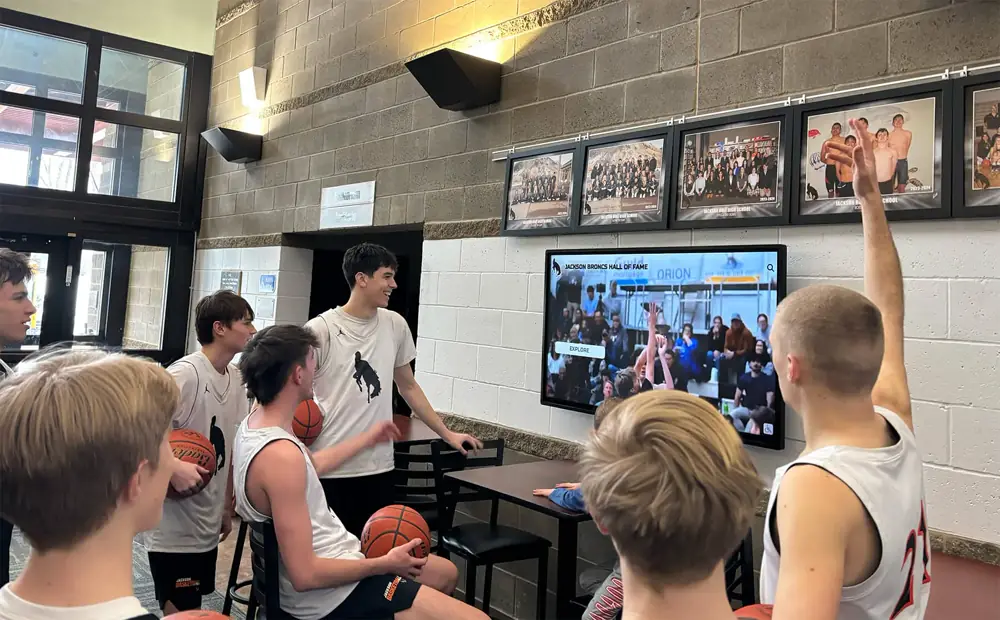
Jackson Hole High SchoolA team gathered around its own history.
From Rocket’s installation gallery.
Why one school chose Rocket
I had Zoom calls with multiple interactive display companies before contracting with one, and none of them compare with the flexibility and innovativeness of Rocket. The software is easy to use and they are always updating and upgrading their software to be current and the best!
 Matt SchockSeneca East
Match the hardware to the experience.
For hands-on exploration
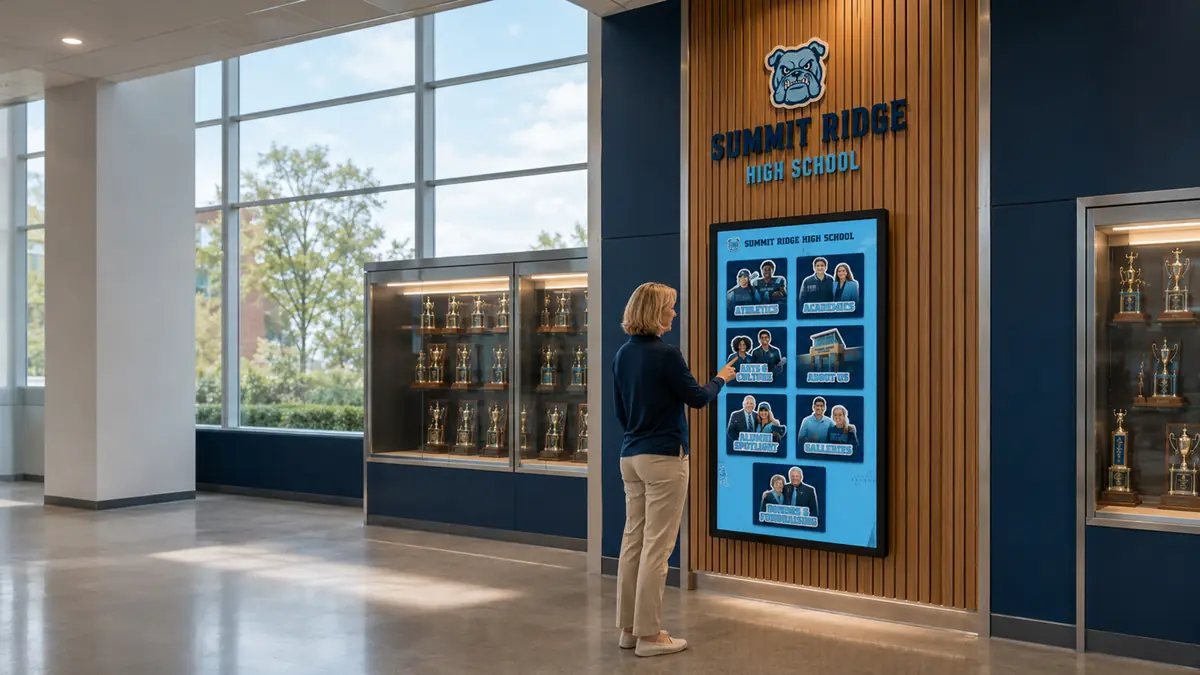
A compatible touchscreen lets visitors choose people, years and stories in History Showcase.
See History ShowcaseFor messages at a glance
Digital Signage serves people passing a screen. Check your proposed display and playback device before reusing equipment.
See Digital Signage40 ways schools use it
Hardware use cases
Start with the job your school needs done. Each guide covers what to include, how it works with Rocket and the questions schools ask first.
By space
Match the display to the room, the traffic and the people who stop.
- Athletic Lobby TouchscreenPut records, champions and hall of fame inductees on a touchscreen where fans enter your gym.
- School Entrance DisplayA display by the main doors that greets visitors and shows what your school is proud of.
- Gymnasium DisplayBring championships, records and team history into the gym where your athletes compete.
- Field House and Concourse DisplayRecognition and game-day messages for field house lobbies, concourses and stadium entrances.
- Hallway Recognition WallTurn a hallway into a recognition wall for academics, arts, athletics and alumni.
- Library and Media Center DisplayA display for digital yearbooks, school archives and student work in your library or media center.
- Alumni Center DisplayHelp alumni find classmates, donors and distinguished graduates in your alumni center.
- Fine Arts Lobby DisplayCelebrate musicians, actors and artists in the fine arts lobby with a display made for them.
- Cafeteria DisplayUse the cafeteria’s daily crowd to share news, reminders and student recognition on one screen.
- Admissions and Welcome Center DisplayShow prospective families your school’s history, programs and people in the admissions office.
By format
Compare wall-mounted touchscreens, kiosks, WonderWalls and the screens you already own.
- Wall-Mounted TouchscreenCompare wall-mounted touchscreen bundles, from a standard mount to custom panels and enclosures.
- Freestanding KioskFreestanding touchscreen kiosks for lobbies and open spaces where a wall mount won’t work.
- WonderWall Recognition InstallationWonderWall pairs school-branded fabric graphics with an interactive display for a full feature wall.
- Dual-Screen DisplaysPlan two screens side by side, one to explore and one to announce, for busy lobbies and walls.
- Portrait or Landscape DisplaysHow to choose a portrait or landscape display for profiles, team photos and tight spaces.
- Recessed Wall InstallationA recessed touchscreen sits in the wall, saving hallway space and giving a built-in look.
- Event KioskA touchscreen kiosk for hall of fame nights, reunions and open houses where guests gather.
- Reusing an Existing TVAlready have a screen? See how Rocket checks if the TV you already have can be reused.
- Signage Stick for TVsHow a small media player or signage stick can put school content on a TV, and what to check.
- Multi-Display Feature WallCombine several screens and branded graphics into one feature wall for a lobby or concourse.
By purpose
Choose a display around what your school wants to celebrate.
- Hall of Fame DisplayGive inductees a touchscreen home where visitors can browse every class, year and story.
- Record Board DisplaySwap a vinyl record board for a screen you can update the night a school record falls.
- Donor Wall DisplayThank donors on a display that adds new gifts and giving levels without engraving a new plate.
- Digital Trophy CaseShow the trophies that no longer fit behind glass, plus the teams and seasons behind them.
- Yearbook KioskLet alumni and students flip through decades of yearbooks on a touchscreen kiosk in your building.
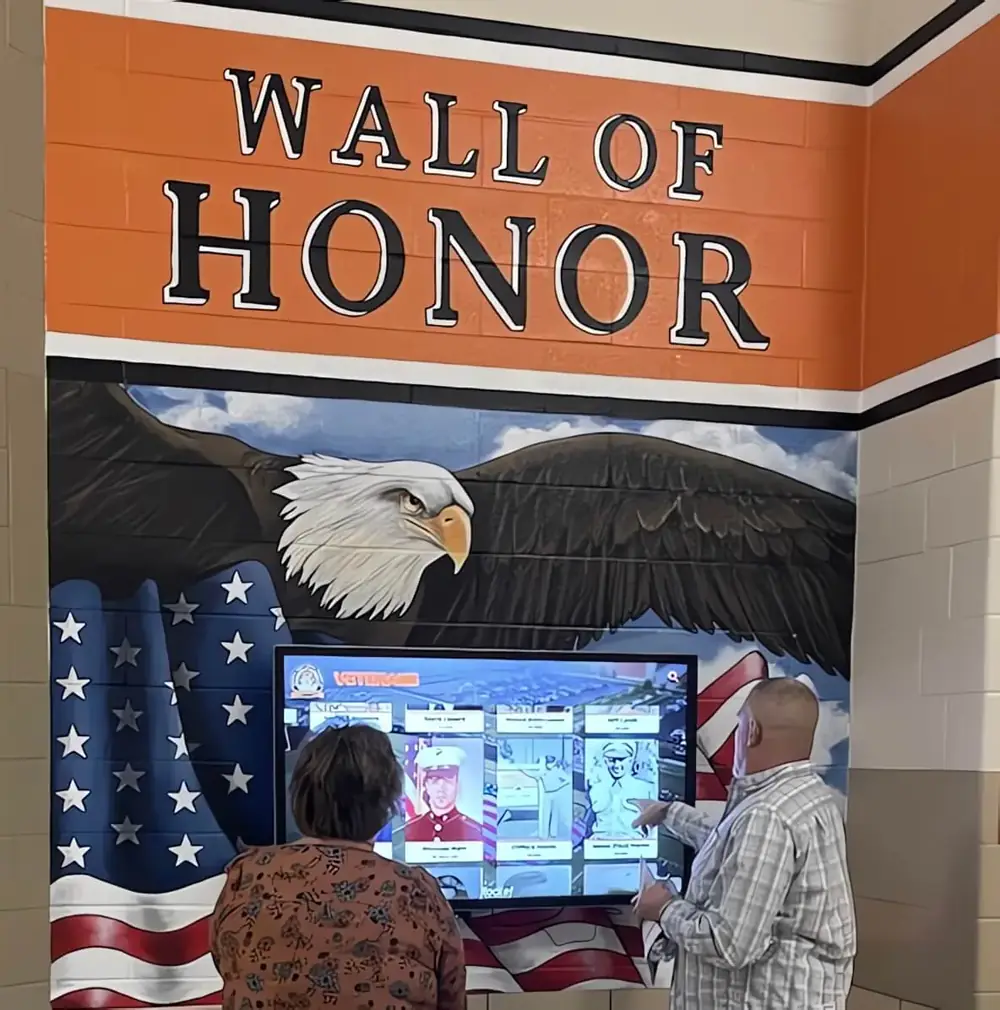
- Veterans Wall of Honor DisplayHonor alumni and staff who served with photos, branch and years of service on a dedicated display.
- Interactive Campus DirectoryHelp visitors find offices, staff and rooms with a touchscreen directory near your front entrance.
- Athletic Feature WallBuild a branded athletics wall with a touchscreen at its center, telling the story of every team.
- Digital Championship BannersAdd every title to a digital banner display instead of ordering another felt banner for the gym.
- Senior Recognition WallCelebrate each graduating class with portraits, honors and plans on a display that grows every year.
Planning and installation
Answer the space, power, budget and approval questions before anything is ordered.
- Free Installation MockupSee what a touchscreen, kiosk or WonderWall would look like in your own space before you commit.
- Measuring Your SpaceMeasure the wall or floor area for a school display, including clearances, outlets and sightlines.
- Accessible Display PlacementPlace a school touchscreen where every visitor can reach, see and use it, including wheelchair users.
- Power and Network PlanningPlan the power outlet and internet connection for a school touchscreen before the screen goes up.
- Mounting and Wall TypesMatch a school touchscreen mount to your wall, from block and drywall to recessed and enclosed options.
- Choosing a Display SizePick a screen size for your school touchscreen based on the wall, viewing distance and how visitors use it.
- Budgeting a Display ProjectPlan a realistic budget for a school display, from hardware and mounting to content prep and timing.
- Booster-Funded DisplaysHelp your booster club fund a touchscreen display with a clear plan, a mockup and thanks for donors.
- Class Gift DisplaysTurn a senior class gift into a lasting display that recognizes the class and keeps growing.
- Multi-School District RolloutsPlan displays across several schools with consistent hardware, shared timelines and central management.
For principals, ADs and advancement teams
Why school leaders choose Rocket.
A project your school community sees every day needs a partner that answers quickly and stays for the long run.
- schools and organizations
- 1,500+
- touchscreen installations
- 2,000+
- customer satisfaction
- 4.9/5
- average chat response
- < 10 s
Help in seconds, not tickets
24/7 live chat from Rocket’s Boston team, with a personal customer success contact from kickoff onward.
Your staff don’t do it alone
Rocket can prepare your names, photos and records. See content help.
Ready for your IT review
Encrypted data, SSO and student-data commitments for K-12. Read about security.
Built to grow with you
Unlimited content with no per-profile fees, and new features as Rocket releases them.
Questions
A few practical questions
Hardware is optional. Share any existing equipment with Rocket so we can check compatibility and identify what is needed for your intended experience.
We recommend self-install by your facilities, IT or custodial staff. Agree on installation responsibilities before ordering; your quote specifies what is supplied and any installation arrangements.
That depends on the location, viewing distance, available space and how visitors will interact. The bundle pages show options, and a demo can help narrow them for your building.
Warranty and support terms depend on the exact hardware in your quote. We’ll confirm them for each display, enclosure or mounting option you choose.
Your next step
Let's find the right fit for your school.
Compare the options for your space and get a free installation mockup. Photos and model numbers welcome, never required.